Documentation Index
Fetch the complete documentation index at: https://langchain-5e9cc07a-preview-usestr-1765228917-dac0d1a.mintlify.app/llms.txt
Use this file to discover all available pages before exploring further.
Agent Auth is in
Beta and under active development. To provide feedback or use this feature, reach out to the
LangChain team.
Installation
Install the Agent Auth client library from PyPI:
pip install langchain-auth
Quickstart
1. Initialize the client
from langchain_auth import Client
client = Client(api_key="your-langsmith-api-key")
2. Set up OAuth providers
Before agents can authenticate, you need to configure an OAuth provider using the following process:
-
Select a unique identifier for your OAuth provider to use in LangChain’s platform (e.g., “github-local-dev”, “google-workspace-prod”).
-
Go to your OAuth provider’s developer console and create a new OAuth application.
-
Set LangChain’s API as an available callback URL using this structure:
https://api.host.langchain.com/v2/auth/callback/{provider_id}
For example, if your provider_id is “github-local-dev”, use:
https://api.host.langchain.com/v2/auth/callback/github-local-dev
-
Use
client.create_oauth_provider() with the credentials from your OAuth app:
new_provider = await client.create_oauth_provider(
provider_id="{provider_id}", # Provide any unique ID. Not formally tied to the provider.
name="{provider_display_name}", # Provide any display name
client_id="{your_client_id}",
client_secret="{your_client_secret}",
auth_url="{auth_url_of_your_provider}",
token_url="{token_url_of_your_provider}",
)
3. Authenticate from an agent
The client authenticate() API is used to get OAuth tokens from pre-configured providers. On the first call, it takes the caller through an OAuth 2.0 auth flow.
In LangGraph context
By default, tokens are scoped to the calling agent using the Assistant ID parameter.
auth_result = await client.authenticate(
provider="{provider_id}",
scopes=["scopeA"],
user_id="your_user_id" # Any unique identifier to scope this token to the human caller
)
# Or if you'd like a token that can be used by any agent, set agent_scoped=False
auth_result = await client.authenticate(
provider="{provider_id}",
scopes=["scopeA"],
user_id="your_user_id",
agent_scoped=False
)
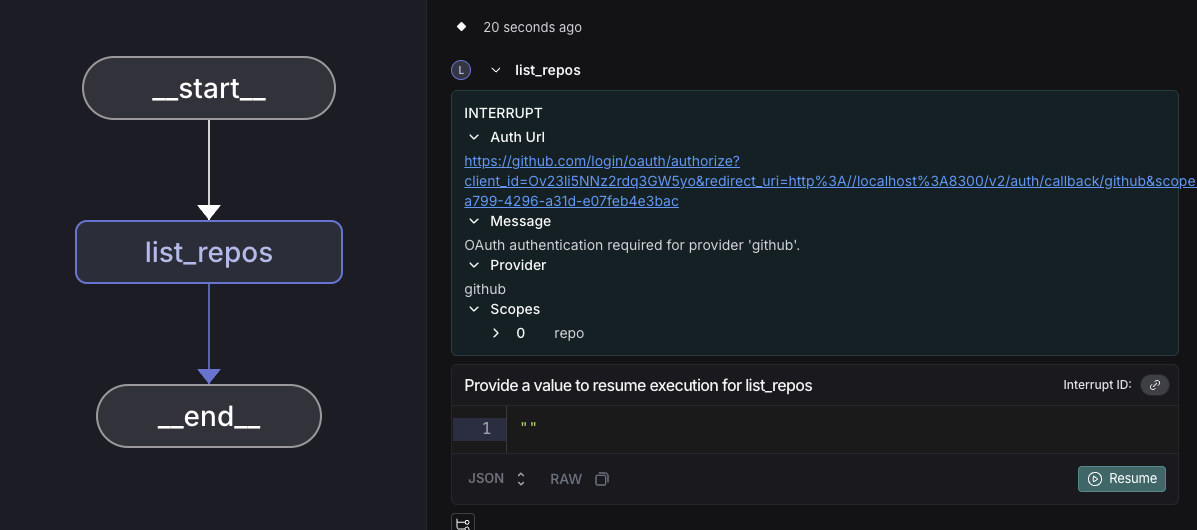
During execution, if authentication is required, the SDK will throw an interrupt. The agent execution pauses and presents the OAuth URL to the user:
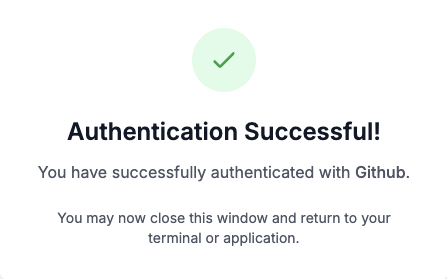
After the user completes OAuth authentication and we receive the callback from the provider, they will see the auth success page.
The agent then resumes execution from the point it left off at, and the token can be used for any API calls. We store and refresh OAuth tokens so that future uses of the service by either the user or agent do not require an OAuth flow.
token = auth_result.token
Outside LangGraph context
Provide the auth_url to the user for out-of-band OAuth flows.
# Default: user-scoped token (works for any agent under this user)
auth_result = await client.authenticate(
provider="{provider_id}",
scopes=["scopeA"],
user_id="your_user_id"
)
if auth_result.needs_auth:
print(f"Complete OAuth at: {auth_result.auth_url}")
# Wait for completion
completed_auth = await client.wait_for_completion(auth_result.auth_id)
token = completed_auth.token
else:
token = auth_result.token